Guest operations
Front Office, Reservations, Room Rack and Housekeeping keep arrivals, stays, departures and room status under control.
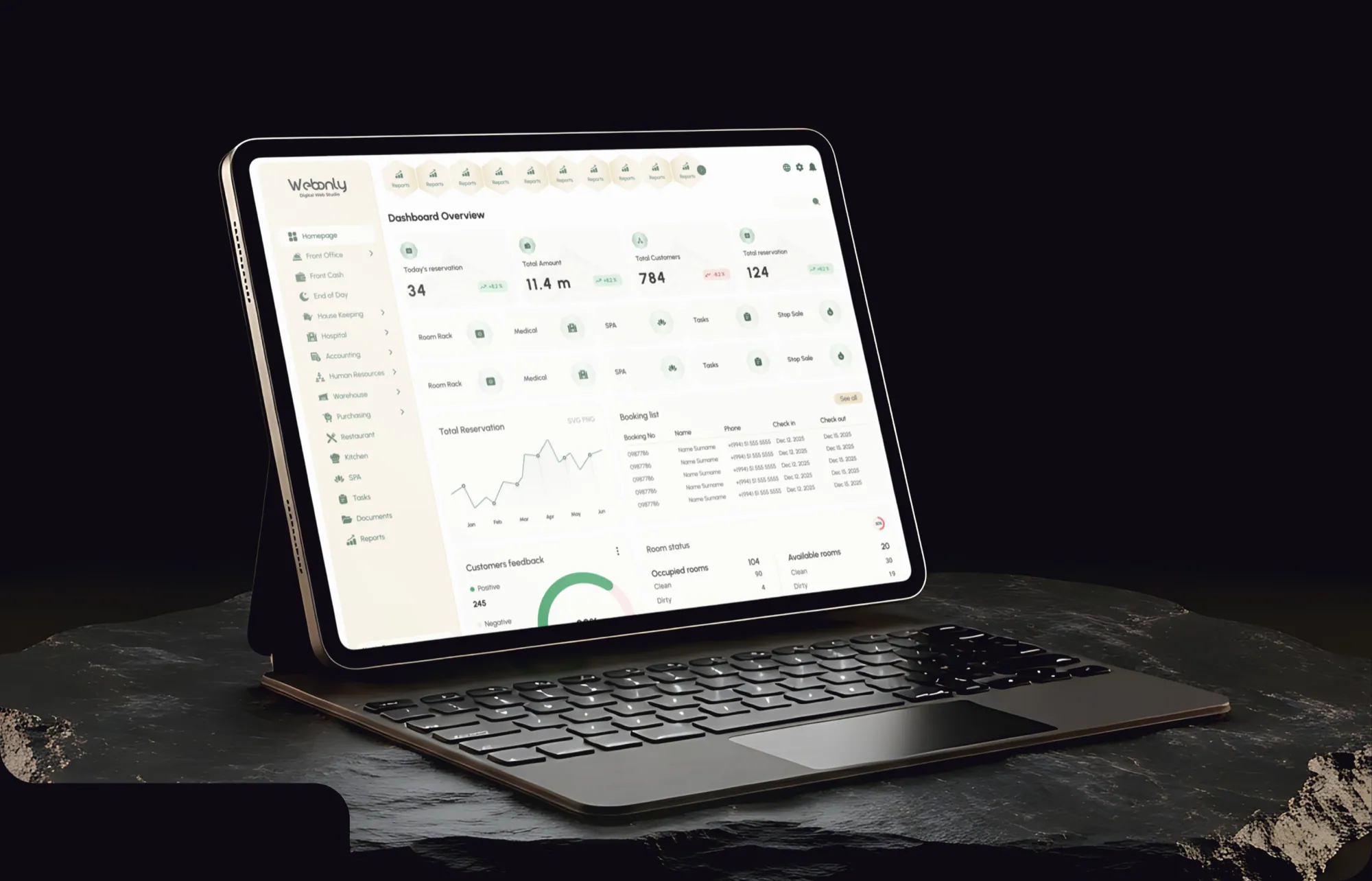
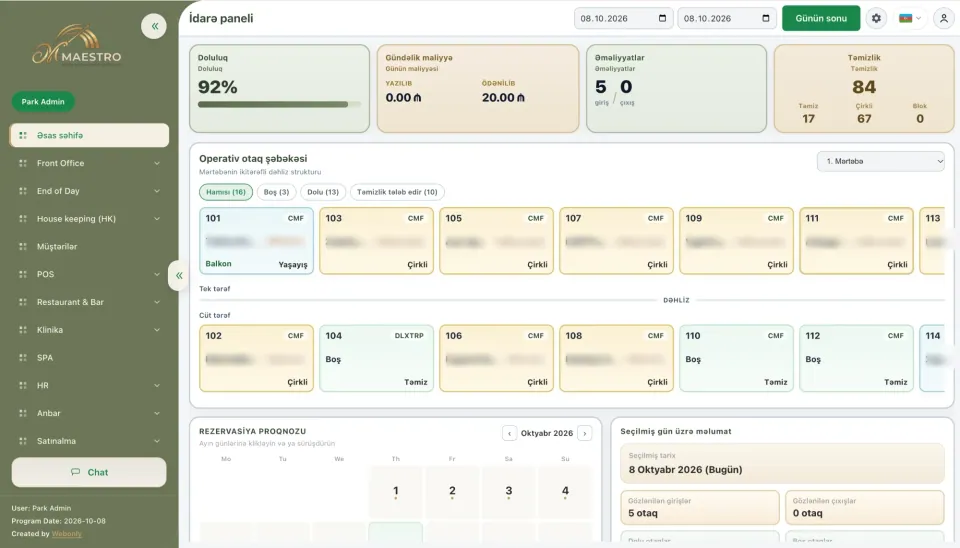
Maestro is a Hotel ERP — one system for the whole property. Reception, housekeeping, restaurant, finance and, for sanatoriums, treatment all work from the same data.
Front Office, Reservations, Room Rack and Housekeeping keep arrivals, stays, departures and room status under control.
Folio, Payments and Accounting, with Stock and Purchasing, keep revenue, costs and inventory in one financial picture.
POS, SPA and, for medical resorts, Clinic and Treatment Scheduling connect services to the guest and the room.
Product
From reservations to finance, from guest services to medical procedures: run every operation from a single platform.
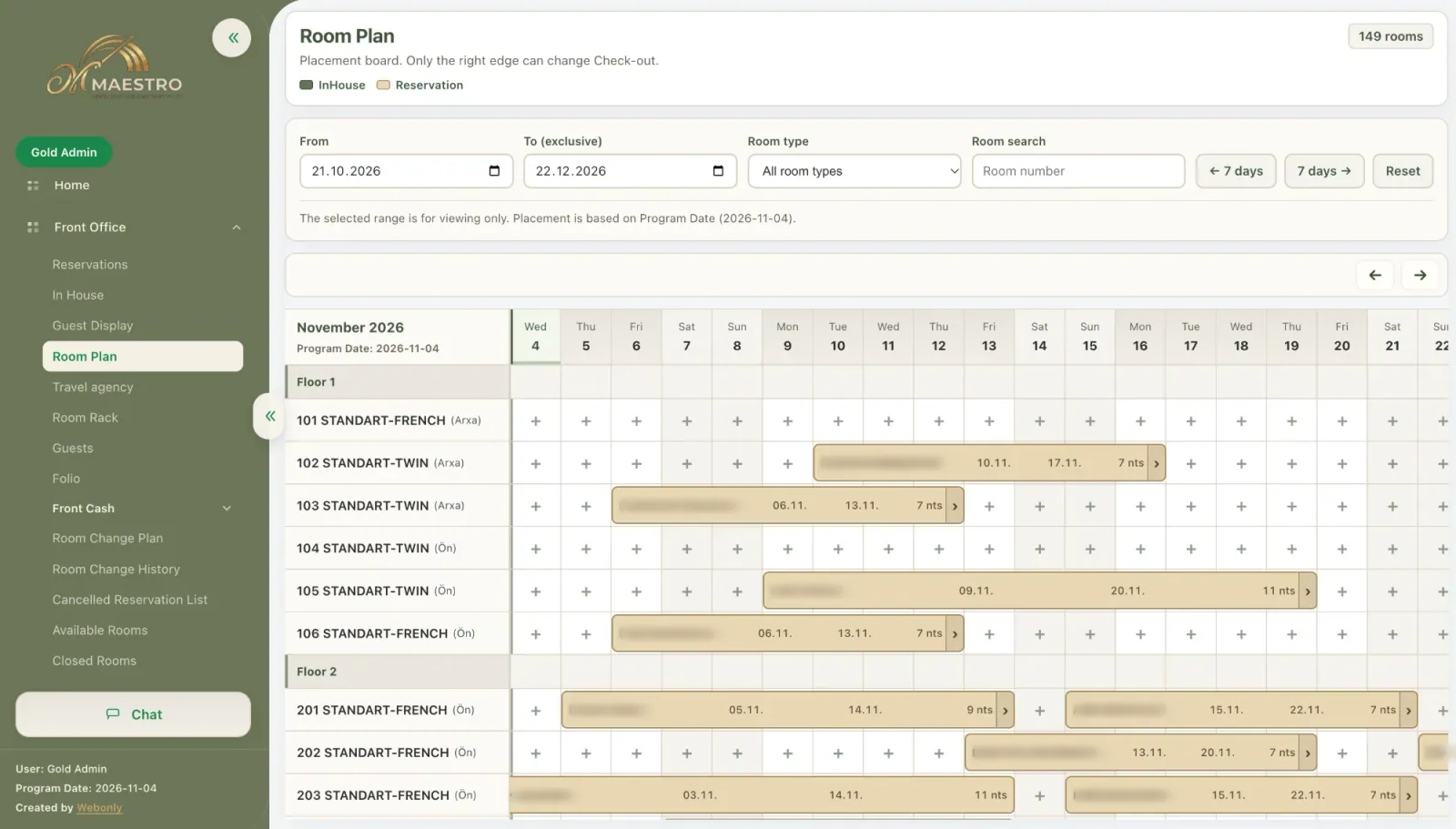
Enable modules step by step, depending on the size and operational needs of the property.
Arrivals, check-in, check-out and daily guest operations from one dashboard.
Manage bookings, availability and guest stays across room types and channels.
See room status and occupancy at a glance and plan assignments.
Cleaning schedules and tasks linked to room status, so rooms are turned over on time.
Guest and group accounts (Folios) that collect charges from every department.
Payments and billing recorded on each guest account and tied to the end-of-day closing.
Ledgers, invoices and transactions feeding one financial view of the property.
Restaurant and outlet POS connected to rooms, Folios and kitchen.
Stock movements, balances and valuation for F&B and operations.
Procurement from requisition to payment, with control over suppliers and spend.
Appointments, procedures and clinic reports for medical resorts, connected to the rest of the property.
Treatment programmes and procedure schedules with rest-time and planned-day rules.
Employee records, staffing, leave and documents in the same system.
Operational and financial reporting for management decisions.
Guided Workflows
Step-by-step guided workflows help staff learn Maestro directly inside the system.
Employees can follow step-by-step guides inside the system for everyday tasks — creating a reservation, guest check-in, posting a charge, taking a payment or making a refund — without a trainer for every step.
Built-in guidance helps teams start evaluating Maestro faster during the 30-day trial.
The same platform, configured for how your property actually operates.
Boutique, city and multi-property hotels run reservations, Front Office, Housekeeping, Folio and accounting in one place.
Coordinate accommodation with restaurants, kitchen, SPA, stock and tasks across the whole property.
Run accommodation and treatment together: clinic workflows and treatment scheduling alongside hospitality operations.
Medical Hospitality
Maestro brings reservations, accommodation, treatment planning and clinic operations together for sanatoriums on a single platform.
Reservation and check-in with the stay and treatment programme in view.
Clinic workflow defines the programme for the stay.
Procedures scheduled against availability, with rules such as rest time between procedures and planned treatment days.
Rooms, SPA, restaurant and Housekeeping stay aligned with the treatment day.
Accommodation and service charges roll into one Folio and management reports.
A PMS covers front-of-house operations. A Hotel ERP also connects what happens behind the scenes: finance, inventory and services.
| Area | Typical PMS | Maestro Hotel ERP |
|---|---|---|
| Scope | Front Office, reservations and room status | Front Office, finance, purchasing, stock, F&B, HR, SPA, clinic and guided staff workflows in one system |
| Finance | Often exported to a separate accounting tool | Folio, payments and accounting are part of the same platform |
| Inventory | Usually handled outside the PMS | Stock and purchasing connected to departments and POS |
| Medical Hospitality | Rarely covered | Clinic and treatment scheduling for medical resorts and sanatoriums |
| Reporting | Property-level reports | Management reports across operations and finance |
The comparison describes the typical scope of a PMS in general, not any specific product.
Deployment options can be tailored to property and infrastructure requirements.
A cloud-based environment can be prepared and operated for the property.
Deployment on infrastructure controlled by the customer can be considered, depending on requirements.
A separate environment can be discussed for properties with strict data-separation requirements.
A private server environment is possible depending on security, performance and business needs.
Hosting location requirements can be reviewed during project scoping.
Specific options are confirmed per project. Ask the Webonly team for details.
How Maestro Hotel ERP protects your business, guest and patient data, and financial operations.
Each employee signs in with their own account and sees only the modules and functions their role allows.
Records are open only to signed-in staff with the right permission. Each hotel has its own database.
Refunds, payments and cash shifts need their own permissions; key actions record who did what and when.
Real implementation stories will be published here with the approval of the properties involved.
We publish customer results only when they are confirmed and approved. If you would like to speak with the team about a similar property, request a demo.
Each story will cover
Start a 30-day free trial and evaluate Maestro with your own workflows. Send a request and the Webonly team will get in touch.
Trial scope and conditions are confirmed by the Webonly team when you request access.
Tell us about your property. The Webonly team will contact you to arrange a demo or trial access.
We receive your request
A member of the team contacts you
We agree demo or trial access for your property
Answers about Maestro, deployment and getting started.
Yes. Boutique and city hotels, resorts and multi-property groups all use the same platform. Modules are enabled step by step, according to the size and needs of the property.
Yes. Maestro is built not only for hotels but also for sanatoriums, wellness centres and medical resorts that run accommodation, guests, treatment schedules, SPA services and internal operations in one place.
Yes. It covers Front Office, reservations, guest check-in and check-out, room status tracking, Housekeeping tasks and day-to-day operational control.
Yes. You can plan treatment programmes, SPA services and procedures against room availability, with rules such as rest time between procedures or planned treatment days.
Yes. Maestro can be integrated with a channel manager to synchronise availability, reservations and prices with Booking.com and other online travel agencies. The scope is agreed for each project.
Maestro can be prepared as a cloud solution and, depending on the project, deployed in a private server environment instead. The final choice depends on security, performance and business needs.
Yes. Reception, Housekeeping, accounting, SPA, medical services, the restaurant and management can all work at once, each with role-based access permissions.
Training, onboarding and technical support can be included, so that staff start using Maestro correctly and safely. The scope is agreed for each project.
Yes. Request a demo and the team can give you temporary demo access, so you can review Maestro before you decide.
Yes. It can be configured to the structure, departments, workflows and reporting needs of a particular hotel, sanatorium or medical resort.