
Product
All your hotel operations on one platform
Every department works in the same system, so managers see what is happening across the whole property.
How Maestro is organised
Six areas, each made of modules you can enable step by step.
Operations
Front Office
Arrivals, check-in, check-out and daily guest operations from one dashboard.
Reservations
Manage bookings, availability and guest stays across room types and channels.
Room Plan / Room Rack
See room status and occupancy at a glance and plan assignments.
Housekeeping
Cleaning schedules and tasks linked to room status, so rooms are turned over on time.
Finance
Folio
Guest and group accounts (Folios) that collect charges from every department.
Payments
Payments and billing recorded on each guest account and tied to the end-of-day closing.
Accounting
Ledgers, invoices and transactions feeding one financial view of the property.
F&B / Retail
POS
Restaurant and outlet POS connected to rooms, Folios and kitchen.
Inventory
Stock
Stock movements, balances and valuation for F&B and operations.
Purchasing
Procurement from requisition to payment, with control over suppliers and spend.
Medical Hospitality
Clinic
Appointments, procedures and clinic reports for medical resorts, connected to the rest of the property.
Treatment Scheduling
Treatment programmes and procedure schedules with rest-time and planned-day rules.
Management
HR & Workforce Management
Employee records, staffing, leave and documents in the same system.
Reports
Operational and financial reporting for management decisions.
Built-in Staff Training
Guided Workflows for Staff
Maestro can guide employees through real operational workflows directly in the interface, helping new staff learn faster and reducing dependence on repeated manual training.
Built-in guidance helps teams start evaluating Maestro faster during the 30-day trial.
- Context-aware guidance
- Step-by-step workflows
- Inside the interface
- Can be restarted anytime
Why a Hotel ERP instead of a PMS alone
A PMS covers front-of-house operations. A Hotel ERP also connects what happens behind the scenes: finance, inventory and services.
| Area | Typical PMS | Maestro Hotel ERP |
|---|---|---|
| Scope | Front Office, reservations and room status | Front Office, finance, purchasing, stock, F&B, HR, SPA, clinic and guided staff workflows in one system |
| Finance | Often exported to a separate accounting tool | Folio, payments and accounting are part of the same platform |
| Inventory | Usually handled outside the PMS | Stock and purchasing connected to departments and POS |
| Medical Hospitality | Rarely covered | Clinic and treatment scheduling for medical resorts and sanatoriums |
| Reporting | Property-level reports | Management reports across operations and finance |
The comparison describes the typical scope of a PMS in general, not any specific product.
Who works in Maestro
Departments work in the same system with role-based access permissions.
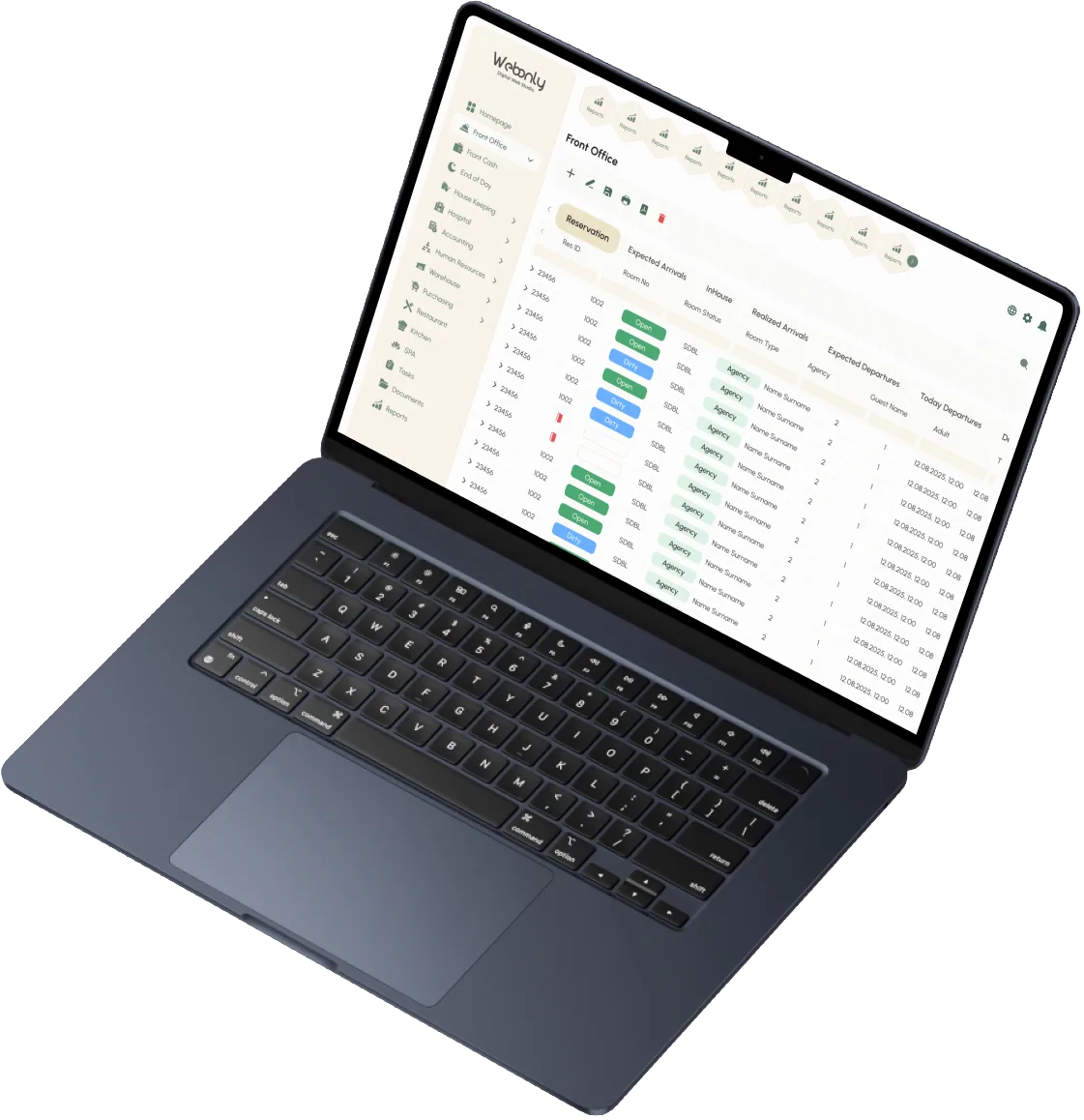
What is Maestro Hotel ERP
Maestro Hotel ERP & PMS Software is software for hotels, resorts and sanatoriums (by Webonly). Beyond reception and reservations, which a PMS covers, it brings finance, stock, services and medical processes into one system.
Rollout and integrations
Modules are enabled step by step depending on need. Deployment options (a Maestro-managed environment, customer-controlled infrastructure, a dedicated or private environment) are discussed according to project requirements.
To synchronise availability, reservations and prices with platforms such as Booking.com, Maestro can be integrated with a channel manager; the scope is agreed per project.
Questions about the product
Which properties is Maestro built for?
Boutique, city and multi-property hotels, resort hotels, sanatoriums and medical resorts.
Do we need to enable every module at once?
No. Modules can be enabled step by step depending on the size and needs of the property.
Can we try Maestro before buying?
Yes. Send a request for the 30-day free trial and the Webonly team will get in touch.
Try Maestro with a 30-Day Free Trial
Trial scope and conditions are confirmed by the Webonly team when you request access.